
Building Trustworthy Documentation Systems with RAG
Learn how to engineer production-grade RAG for technical documentation. A complete guide to Hybrid Search, RRF, and preventing LLM hallucinations in docs.

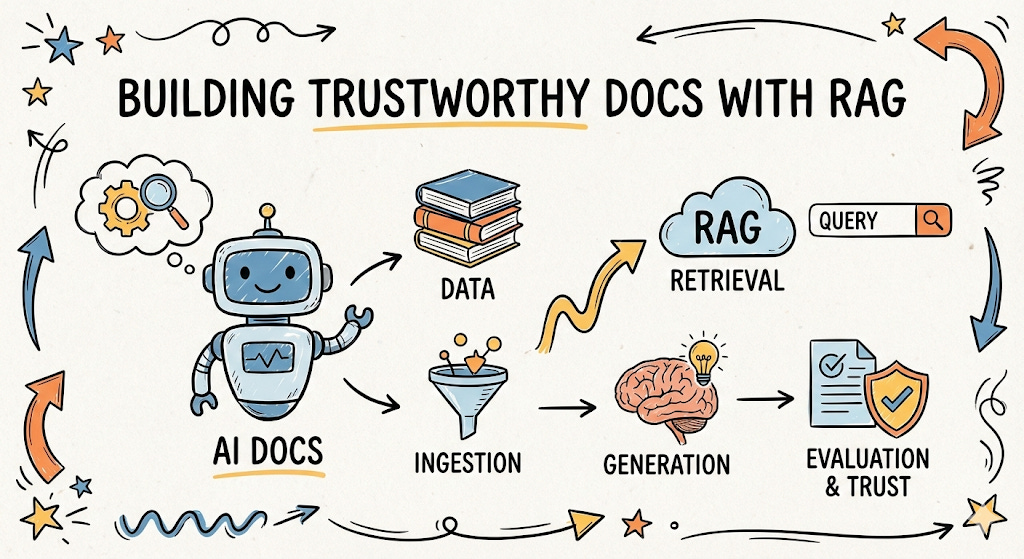
Most retrieval-augmented generation (RAG) tutorials optimize for approachability. They demonstrate that a concept works, but rarely explain why it works, when it fails, or what truths must hold for it to be trusted in production.
Documentation engineering has different requirements.
Documentation is not exploratory text; it is contractual. Users depend on it for correctness, reproducibility, and safety. An AI system that answers documentation questions must therefore behave less like a creative assistant and more like a constrained retrieval system with a language interface.
This article describes how to engineer such a system end-to-end, with an emphasis on accuracy, traceability, and failure modes.
TL;DR
Who this is for: Developers building AI search for technical documentation, APIs, or compliance libraries.
The Core Problem: General-purpose RAG optimizes for creativity and plausibility. Documentation systems require strict adherence to facts, reproducibility, and traceability.
Key Architecture Decisions in this Tutorial:
Ingestion: We reject flat text loaders in favor of Hierarchical Chunking (preserving
H1/H2headers) to keep code blocks and context intact.Retrieval: We solve the “Error Code Problem” (where semantic search fails on specific tokens like
ERR-404) by running Vector and Keyword searches in parallel, fused via Reciprocal Rank Fusion (RRF).Generation: We use strict system prompts that force the model to cite metadata sources and return “I don’t know” rather than hallucinating plausible answers.
Evaluation: We implement an “LLM-as-a-Judge” pipeline to unit-test responses for “Faithfulness” before they reach the user.
Check out the GitHub repo for the implementation of an AI documentation system with RAG
The Challenge of Trust in Documentation
Documentation systems powered solely by LLMs face a critical challenge: hallucination. LLMs can generate plausible-sounding but factually incorrect information because their knowledge is limited to their training data, lacking a real-time, verifiable grounding source. For technical or compliance-heavy documentation, this lack of trust is a major hurdle.
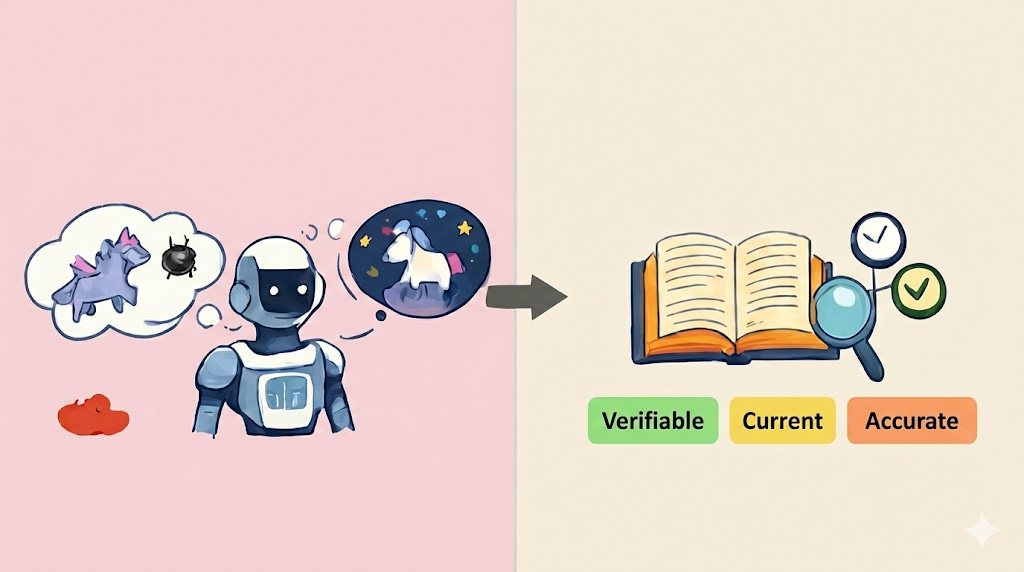
A trustworthy documentation system must be:
Verifiable: Every piece of generated information must be traceable to a source.
Current: Answers must be tied to a specific documentation version and refreshed on a defined cadence (on-merge or scheduled reindex).
Accurate: Content must be factually correct and grounded in truth.
Key Components of a Trustworthy Documentation RAG System
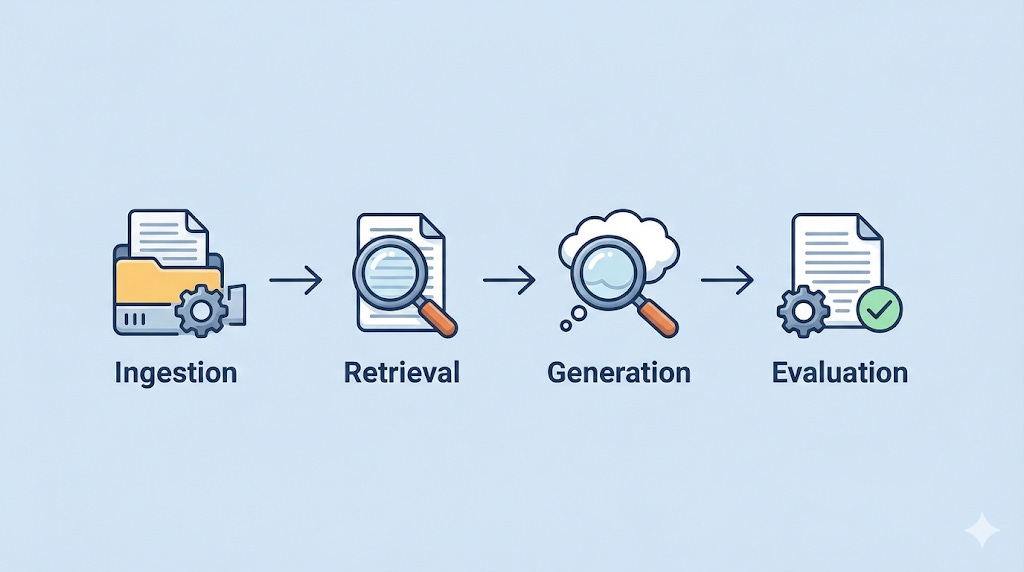
Building a reliable RAG documentation system requires careful consideration of four core components. If any single component is neglected, the system’s reliability collapses.
The 4 critical pillars of AI Docs Engineering are:
Ingestion: Preserving structure during parsing.
Retrieval: Finding the exact right snippet using Hybrid Search.
Generation: Constraining the LLM to only use provided facts.
Evaluation: Measuring success using the “LLM-as-a-Judge” pattern.
1. Ingestion (The Data Pipeline)
Your model is only as smart as the data you feed it. Garbage in, garbage out. For production docs, you can’t just dump text into a database. Most hallucinations attributed to “LLM behavior” actually originate here, when the document representation is corrupted during parsing.
Parsing: Protecting the Structure
This is unglamorous but critical work. How do you handle tables in a PDF, codeblocks in Markdown, or hierarchical structures (H1, H2, H3)?
If you strip away the structure, Error 404: Not Found might become “Error 404 Not Found” floating in space, without the user knowing which API endpoint it belongs to. A parser should retain:
Heading hierarchy (used later for ranking and citations).
Codeblocks (which must never be split mid-block).
Lists and tables (which often encode constraints).
Metadata: The Key to Citations
Metadata is not optional. Each chunk must carry enough data to answer: Where did this come from? Without metadata, citations are impossible. At a minimum, a chunk should have a Source Identifier (URL/File Path) and a Section/Heading path.
In RAG, we use specialized Document Loaders that wrap the text into a “Document” object containing page_content and metadata.
from langchain_community.document_loaders import TextLoader

# Load the document with source metadata
loader = TextLoader("./docs/api_guide.md")
docs = loader.load()

for d in docs:
    d.metadata["source"] = "docs/api_guide.md"
Chunking: Naive vs. Structural
Chunking is the process of splitting text into smaller contextual pieces.
Naive Chunking: Splits every 500 characters. This often cuts sentences or code blocks in half.
Recursive/Semantic Chunking: Splits by header or topic.
Chained chunking is best for high-trust documentation. First, split by Markdown headers to capture the “Section” metadata. Second, run a recursive splitter on those results to fit the context window.
from langchain_text_splitters import MarkdownHeaderTextSplitter, RecursiveCharacterTextSplitter

# 1. Read file content
with open("./docs/api_guide.md", "r") as f:
    markdown_text = f.read()

# 2. Define Hierarchy
headers_to_split_on = [("#", "Section"), ("##", "Subsection"), ("###", "Topic")]

# 3. FIRST PASS: Split by Structure (Captures Metadata)
markdown_splitter = MarkdownHeaderTextSplitter(headers_to_split_on=headers_to_split_on)
header_splits = markdown_splitter.split_text(markdown_text)

# 4. SECOND PASS: Split by Size (Preserves Metadata)
chunk_splitter = RecursiveCharacterTextSplitter(chunk_size=500, chunk_overlap=50)
final_chunks = chunk_splitter.split_documents(header_splits)

# Output check:
# print(final_chunks[0].metadata)
# > {'Section': 'Authentication', 'Subsection': 'Login'}
Did you notice the `chunk_overlap=50`?
Imagine a sentence starts at character 490 and ends at 510. Without overlap, the first half is in Chunk A, the second in Chunk B. The AI will see two broken sentence fragments and understand neither. Overlap acts as the “glue” between chunks.
The overlap acts like a “running start” for the next chunk. It ensures that if a critical concept—like a variable name and its value—gets cut in half, the second chunk still contains enough context to make sense on its own.
Embedding: Text to Numbers
Once chunked, we must convert text into a format the machine can calculate: Vectors.
We pass text through an Embedding Model (like OpenAI’s text-embedding-3-small or a free one from HuggingFace), which outputs a list of coordinates, known as vectors.
We store these in a Vector Store (like ChromaDB, Weaviate, Qdrant, or pgvector).
from langchain_chroma import Chroma
from langchain_openai import OpenAIEmbeddings

# Create the Database
db = Chroma.from_documents(
    documents=final_chunks,
    embedding=OpenAIEmbeddings(),
    persist_directory="./chroma_db"
)
print("Ingestion Complete. Database is ready.")
To better understand how vectors work, let’s consider two options: “Apple” and “Truck”. If we convert these two words into vector representations, what relationship would these two lists of vectors have?
In real life, you unconsciously classify them based on their specific features or subcategories. An embedding model does the exact same thing, but it uses hundreds (or thousands) of features. Let’s imagine a simplified model that only looks at two features: Sweetness and Mechanical-ness.
Apple:
[0.9, 0.0](Sweet, Not Mechanical)Truck:
[0.0, 1.0](Not Sweet, Mechanical)
Note: Real embedding models (like text-embedding-3-small) represent semantic meaning, not just explicit features, and the dimensions are usually 1536 or higher, not 2.
If a user asks, “How do I change a tire?”, the vector might look like [0.0, 0.9]. This is mathematically close to “Truck” but far from “Apple.” This proximity is calculated using Cosine Similarity.
2. Retrieval & Ranking
This is the decision-making layer. It decides which chunks are worthy of being sent to the LLM.
To kick this off, imagine a user asks a question that is technically correct but uses different words than your documentation.
User asks: “How do I authenticate?”
Documentation says: “To log in, send a POST request to...”
If we only used Keyword Search (matching exact words), it would fail since authentication is not technically mentioned. Semantic search is a better option here — it can derive the context from the query and use that to get the response.
Because the vectors for “authentication” and “log in” are close together in that multi-dimensional space (high Cosine Similarity), the system connects them without needing a synonym dictionary.
However, there’s a trap with using semantic search - you will quickly run into the opposite problem. Standard semantic search is great for concepts (”How do I log in?”), but it often fails on exact matches like error codes (ERR-AD-99) or specific variable names.
Hybrid Search
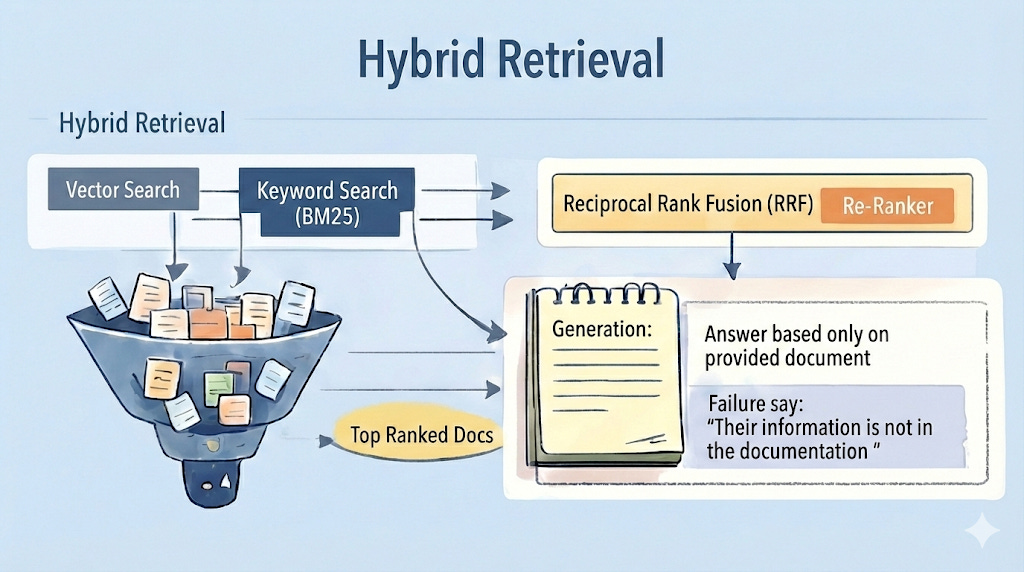
To build a trustworthy documentation system, do not choose between Keyword Search and Vector Search. Run both and fuse the results.
Vector Search: Captures intent and returns a Cosine Similarity score (e.g., 0.75 to 0.85)
Keyword Search (BM25): Captures exact terms (error codes, product names) and returns a probabilistic score (e.g., 12.5 to 45.0)
Since you cannot simply add a “Cosine Score” to a “Keyword Probability Score,” we use Reciprocal Rank Fusion (RRF). RRF ignores raw scores and ranks documents based on their position in both lists.
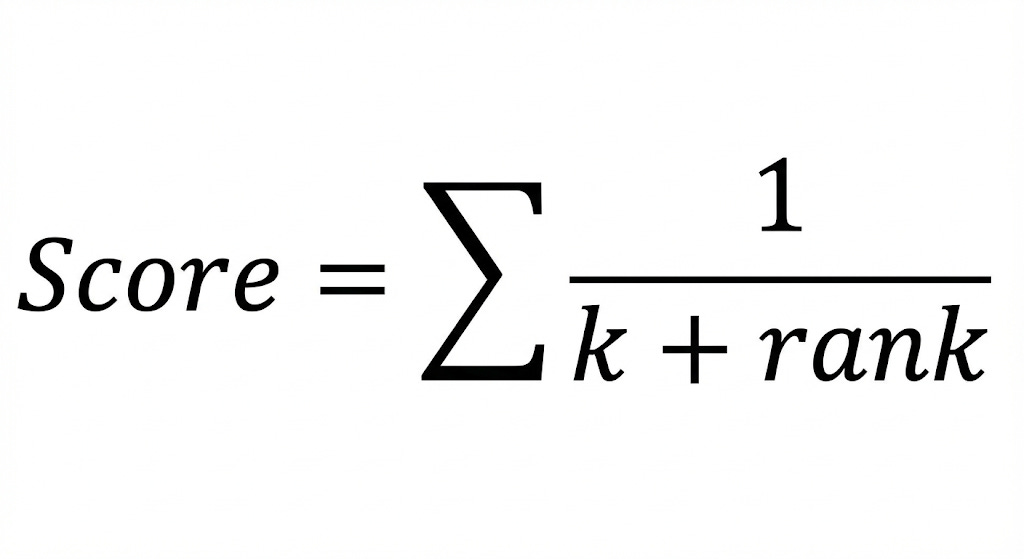
If a document is Rank #1 in Keyword Search and Rank #5 in Vector Search, RRF boosts it to the top.
Here is what a Hybrid Retrieval function looks like:
def retrieve_hybrid(query, vector_db, keyword_db, k=60):
    # 1. Run both searches in parallel
    vector_results = vector_db.search(query, k=k)
    keyword_results = keyword_db.search(query, k=k)

    doc_map = {doc.id: doc for doc in vector_results + keyword_results}

    # 2. Fuse results using RRF
    fusion_scores = {}
    constant = 60

    for rank, doc in enumerate(vector_results, start=1):
        fusion_scores.setdefault(doc.id, 0)
        fusion_scores[doc.id] += 1 / (constant + rank)

    for rank, doc in enumerate(keyword_results, start=1):
        fusion_scores.setdefault(doc.id, 0)
        fusion_scores[doc.id] += 1 / (constant + rank)

    # 3. Sort by highest fusion score
    sorted_docs = sorted(fusion_scores.items(), key=lambda x: x[1], reverse=True)

    return [doc_map[doc_id] for doc_id, _score in sorted_docs[:k]]
Reranking: The Quality Filter
If you feed an LLM 50 documents, it tends to pay attention to the first few and the last few, often ignoring the information buried in the middle.
After fusion, you may have 10-15 high-quality candidates. To ensure the absolute best answer is first, we use a Cross-Encoder Reranker (like Cohere or BGE). This model reads the specific Query+Document pair and outputs a highly accurate relevance score.
The Funnel Architecture:
Retrieval (Fast): Fetch 50 docs using Hybrid RRF.
Reranking (Slow/Accurate): Re-score those 50 docs and keep only the top 5.
3. Generation (The Response)
You have now successfully engineered a pipeline that retrieves the most relevant facts. Next, you need to generate the answer.
For Docs Engineering, the biggest enemy is Hallucination. We don't want the AI to be "creative"; we want it to be accurate. We want Groundedness.
If we just paste our retrieved chunks into the prompt and say "Answer the user's question," the model might still rely on its pre-trained training data (what it read on the internet years ago) rather than your specific documentation.
We must instruct the model to ignore its pre-training (what it learned from the internet) and rely only on the retrieved context.
Below is an example of a system prompt that tries to achieve this:
You are a technical support assistant.
Use the following pieces of context to answer the user's question.
If the answer is not present in the context, do NOT make up an answer.
Instead, simply say: "I'm sorry, that information is not in the documentation."
Context:
{context}
Citations: Proving the Work
Because we preserved metadata in Step 1, we can now force the LLM to cite its sources. By passing metadata (e.g., {source: "auth.md", section: "4.2"}) along with the text chunk, the LLM can construct a verifiable answer:
“To reset keys, POST to /api/v1/reset (Source: Authentication Guide, Section 4.2).”
4. Evaluation (Metrics and Tracking)
Most developers stop after building the bot. In production, this is dangerous. We need the “LLM-as-a-Judge” pattern.
This involves using a stronger model (like GPT-4o) to grade the output of your application model. We evaluate the RAG Triad:
Context Relevance: Did we retrieve the right docs?
Groundedness: Is the answer supported by those docs?
Answer Relevance: Did we actually help the user?
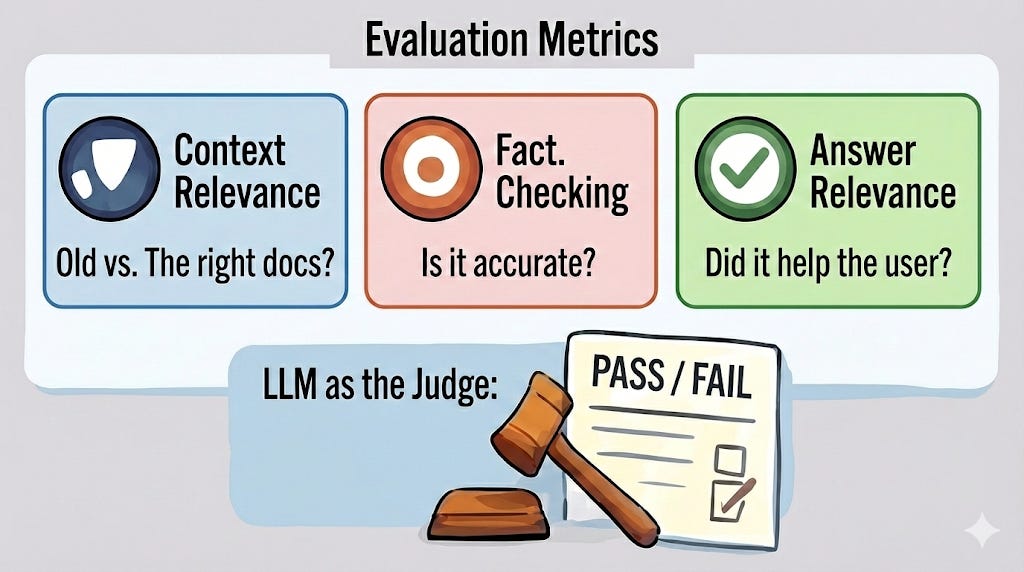
Here is a simplified example of a "Groundedness" grader:
judge_prompt = """
You are a strict technical auditor.
I will give you a list of "Context" text and a "Generated Answer".

Your Task:
1. Extract every claim made in the "Generated Answer".
2. Check if that claim is explicitly supported by the "Context".
3. If ANY claim is unsupported, the score is 0 (Fail).
4. If all claims are supported, the score is 1 (Pass).

Return your response in JSON: {"reasoning": "...", "score": 0 or 1}
"""
Latency vs. Safety
In high-stakes documentation (financial APIs, medical software), you face a trade-off.
Async (Fast): Show the answer immediately; judge it in the background.
Blocking (Safe): Make the user wait 5 extra seconds while the Judge verifies the answer. If the verification fails, block the response.
Running these “LLMs-as-a-judge” takes time and money. Additional checks (groundedness verification, citation validation) increase response time.
For high-stakes, compliance-heavy product docs (such as financial APIs or medical software), serving a delayed, correct answer is usually safer than serving an immediate, incorrect one that affects production behavior.
Closing Observation
We have just successfully designed a production-grade RAG documentation pipeline from scratch. This is the foundation for our content series on documentation engineering with AI.
When documentation AI fails, the problem is rarely “model intelligence.” It is almost always a violation of one of the key components described above: lost structure, ambiguous retrieval, unconstrained generation, or unmeasured output.
Engineering documentation with AI is, therefore, less about creativity and more about discipline. The model is the last component added, not the first one designed.
Hope you enjoyed reading this post.
If you found it helpful, hit the like button and consider subscribing to get more helpful AI documentation engineering content.
If you have any questions or suggestions, please leave a comment.
This breakdown of hybrid search is brillant, especially the RRF approach. Most teams just add semantic search and call it done, but your point about error codes like ERR-404 being invisable to vector embeddings is spot on. The rank fusion logic handles the scoring mismatch way better than trying to normalize different scales. I've seen this exact issue in a compliance project where specific regulatory codes got lost in cosine similarity soup.